
Best AI Website Builders in 2026 | Top Tools Compared
Previously, building a website used to take weeks of frustrating setup or thousands of dollars paid to developers. Today, AI can create complete, fully functional websites in minutes.
The best AI website builders in 2026 are Wix AI for general business, Shopify Magic for online stores, Framer AI for custom design, Hostinger AI for affordable website creation, and Elementor AI for WordPress flexibility.
Choosing the right platform depends on your goals, ease of use, domain ownership, and long-term control. Here is how top AI builders compare so you can launch your site with confidence.
What are the best AI website builders in 2026?
The best AI website builders in 2026 are Wix AI for general businesses, Shopify Magic for e-commerce stores, Framer AI for design freedom and portfolios, Hostinger AI Builder for low budgets and fast launch, and Elementor AI for custom WordPress sites.
These platforms use natural language prompts to auto-generate page layouts, generate initial website’s copy, source stock imagery, and structure full sites in minutes.
We tested these five platforms to break down where each tool excels and where it falls short.
| Website Builder | Best for | Starting price | Key AI feature | Rating |
| Wix AI | General Business | $17/mo (varies by region and plan) | AI website generation using conversational prompts. | 4.23/5 |
| Shopify Magic | E-commerce Stores | Free (included
with all Shopify plans) |
AI product descriptions, emails, FAQs, and content generation. | 4.8/5 |
| Framer AI | Designers & Portfolios | $10/mo | Prompt-to-interactive layout generation | 4.2/5 |
| Hostinger AI | Beginners on a Budget | $2.99/mo | Instant 3-step prompt-to-site creation | 4.5/5 |
| Elementor AI | WordPress Flexibility | $2.99/mo (separated from Elementor’s actual plan) | On-page AI code, image & text generation | 4.4/5 |
-
Wix AI Builder: Best Overall for General Business
Wix AI provides an end-to-end prompt system that builds full websites based on a quick conversational chat. You tell the assistant what your business does, and it outputs custom page structures, color palettes, pre-written text, and functional contact forms.
- Pros: The drag-and-drop editor gives you total visual control after generation. You can regenerate individual sections or swap text layouts without breaking the whole template.
- Cons: Once you pick a site architecture, you cannot switch your site template completely without starting over. Code export is not supported.
-
Shopify Magic: Best for E-commerce
Shopify Magic integrates AI directly into store management. Instead of just generating homepage layouts, it writes detailed product descriptions, generates marketing email copy, and creates customized customer support response templates.
- Pros: Supports high-converting checkout experiences through reliable payment integrations, formats products, collections, and checkout flows automatically for immediate selling.
- Cons: Monthly plan costs scale up quickly. Visual customization remains tied strictly to Shopify theme structures unless you hire a developer.
-
Framer AI: Best for Custom UI/UX Designers
Framer AI generates sleek, modern layouts from simple text prompts. It operates similarly to visual design software like Figma, publishing directly to live web pages.
- Pros: Exceptional animation effects, responsive layout controls, and clean code generation. It is ideal for agency portfolios and SaaS startup landing pages.
- Cons: High learning curve for non-designers. It lacks built-in native e-commerce management and complex backend database capabilities.
-
Hostinger AI Builder: Best Budget-Friendly Starter
Hostinger AI focuses on speed and simplicity. It allows you to describe your brand in three sentences, pick your site type, and receive a fully structured pages with pre-written copy and royalty-free images in less than a minute.
- Pros: Extremely affordable pricing tiers that include web hosting and a free domain name for the first year. It also includes an AI logo generator and heatmap analysis tools.
- Cons: Customization controls are basic compared to Wix or Framer. It struggles with complex membership systems or multi-vendor workflows.
-
Elementor AI: Best for Flexible WordPress Sites
Elementor AI works inside the open-source WordPress environment. Rather than forcing you into a closed SaaS ecosystem, it helps you build page layouts, generate custom CSS and write content directly inside WordPress.
- Pros: Complete data ownership and server flexibility. You can move your host, export your database, and scale custom web features without vendor lock-in.
- Cons: Requires setting up a web host and managing regular WordPress security updates yourself.
What are the disadvantages of AI website builders?
The main disadvantages of AI website builders center on the generic design templates, severe vendor lock-in, limited code export, poor long-term SEO scalability, lack of complex backend functionality, and rising subscription costs.
Despite generating websites quickly, they restrict your ability to customize deep technical code, migrate databases to independent web hosting, or build complex custom applications.
Here are the key drawbacks you should consider before committing to an AI platform:
- Generic and repetitive designs: AI generators rely on recurring layout algorithms, which can make your website look identical to hundreds of other sites in your industry.
- Vendor lock-in and migration barriers: Most proprietary AI builders lock your files onto their closed servers, making it nearly impossible to transfer your design or database to another host later.
- Performance and page speed limits: Auto-generated code often includes bloated scripts and unoptimized styles that slow down page loading times and hurt user experience.
- SEO customization boundaries: Many AI site generators offer basic meta-tag options but lack advanced technical SEO controls like custom canonical tags, deep schema markup, or server-level caching.
- Lack of complex backend features: AI tools struggle to build multi-vendor marketplaces, intricate client portals, custom APIs, or advanced database relationships.
- Higher ongoing subscription costs: Monthly fees for SaaS website builders scale up over time, costing significantly more than owning your domain and hosting your site independently.
Which AI website builder is best for beginners?
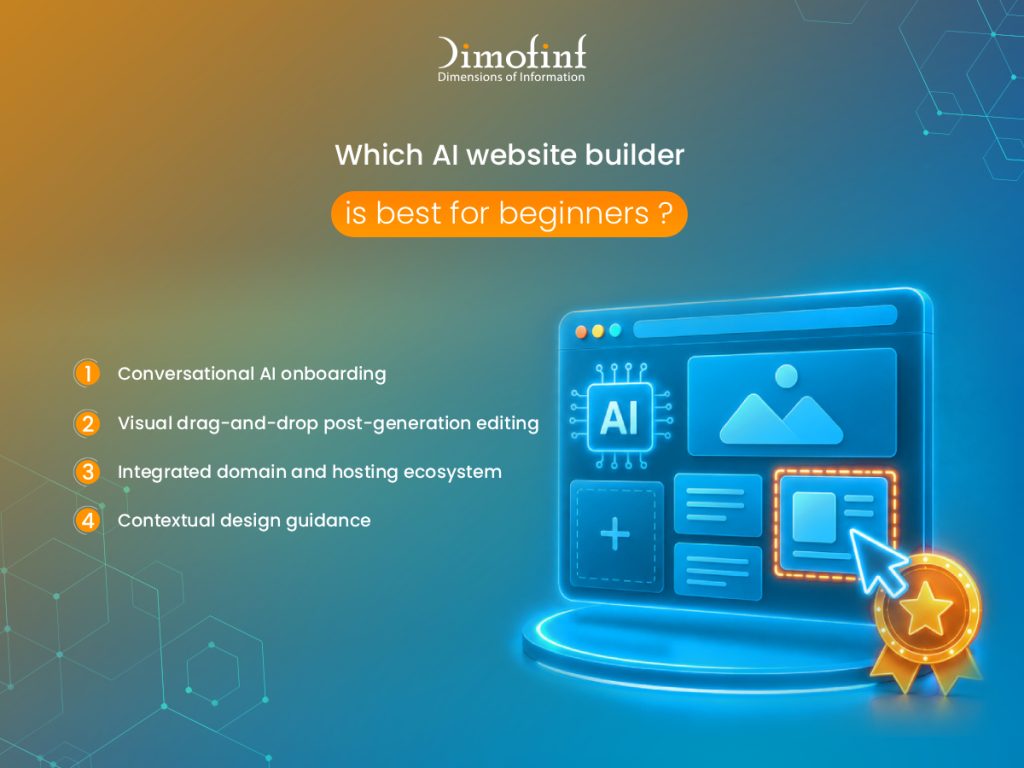
The best AI website builder for beginners is Wix AI because it combines a simple conversational setup wizard with an intuitive visual drag-and-drop editor that requires zero technical or coding experience.
- Conversational AI onboarding: You build your initial site by simply answering a few questions about your business in plain English, eliminating technical setup steps completely.
- Visual drag-and-drop post-generation editing: You can click directly on any image, headline, or layout element on screen to adjust, move, or edit it visually without editing underlying code.
- Integrated domain and hosting ecosystem: Hosting setup, security certificates, and domain connection tools are managed on a central dashboard, saving beginners from manual server configurations.
- Contextual design guidance: The built-in assistant provides real-time design suggestions while you edit, ensuring your pages maintain clean typography and mobile layout balance automatically.
What is the best AI website builder for ecommerce?
The best overall AI website builder for e-commerce is Shopify Magic, while WooCommerce paired with Elementor AI offers the most cost-effective solution for sellers needing fee-free store control and regional payment flexibility.
Building an online store demands secure payment gateways, inventory synchronization, automated checkout flows, and localized tax rules. Based on our performance testing, generic AI site generators struggle with real-time stock management, whereas dedicated e-commerce AI platforms streamline catalog creation and sales operations automatically.
| Platform | Payment Gateway Support | Inventory Management AI | Key Integrations | Transaction Fees | Starting Price |
| Shopify Magic | 100+ (Stripe, PayPal, Apple Pay, shopPay) | Automated low-stock alerts, Product descriptions | Amazon, eBay, TikTok Shop, Klaviyo | 0% No additional platform fees with Shopify Payments | $29/mo |
| WooCommerce + Elementor AI | Supports many payment gateways (Stripe, PayPal, Mada, Moyasar, ClickPay) | Unlimited SKU control | ERPs, CRMs, custom payment gateways | 0% platform fees (Gateway processing fees apply) | $2.99/mo (separated from Elementor’s actual plan) |
| Wix Commerce AI | 50+ (Wix Payments, PayPal, Stripe) | Basic automated stock sync & variant builder | Printful, Modalyst, Google Shopping | 0% (with native Wix Payments) | $17/mo (varies by region and plan) |
Shopify Magic:
Shopify embeds generative AI directly into store workflows. Its AI engines generate SEO-optimized product titles, detailed descriptions, background media edits, and automated customer service responses. Plans start at $29/month (billed annually) for the Basic plan, though third-party payment processing transaction fees apply unless using Shopify Payments.
Wix AI:
Wix provides instant store generation with automated inventory tracking and booking capabilities. Wix AI configures product layouts with tax zones within minutes, with plan costs starting at $27/month for business plans supporting payments.
WooCommerce + Elementor AI:
Combining open-source WooCommerce with Elementor AI gives merchants total control over checkout logic, product feeds, and database security. When hosted on Dimofinf’s managed WooCommerce hosting (starting at $2.99/month), store owners eliminate the per-sale platform, though payment gateway processing fees still apply.
Are free AI website builders worth it?
No, free AI website builders are generally not worth it for professional businesses. While free plans provide a risk-free way to test prompt generators and layout tools, they impose severe restrictions including forced vendor subdomains, mandatory third-party ads, strict storage and bandwidth caps, and disabled e-commerce capabilities that harm your brand’s credibility and search visibility.
Being free sounds appealing for testing your idea, but when it comes to launching a commercial brand, it creates long-term operational friction.
Free plans lock you into vendor subdomains (such as yourbrand.sitebuilder.com). Subdomains undermine customer trust, look unprofessional on business cards or marketing campaigns, and prevent you from building independent domain authority (SEO) in Google.
Also, free tiers typically restrict media uploads to 500 MB or less and throttle bandwidth during traffic spikes, causing slow loading speeds or temporary site lockouts when visitors arrive.
Which AI website builder is best for service businesses?
The best AI website builder for service businesses is Wix AI due to its built-in appointment scheduling, client management, and automated lead capture, while WordPress paired with Elementor AI is the best choice for service agencies and local businesses that require advanced local SEO, custom quote calculators, and complete database ownership.
Wix AI automatically generates service menus, staff availability schedules, and client intake forms based on initial text prompts. Its integrated Wix Bookings engine syncs directly with Google Calendar, allowing clients to schedule appointments, pay consultation deposits, and receive automated SMS reminders without third-party plugins, which makes it the recommended solution for consultants & clinics.
For service businesses competing in high-density local markets, combining Elementor AI with WordPress provides unmatched technical SEO flexibility. You can generate custom service pages for multiple geographic target areas, embed local business Schema markup, and build interactive pricing estimators.
Can I connect my own domain to an AI website builder?
Yes, you can connect your own custom domain name to virtually any AI website builder, provided you are on a paid subscription plan. Connecting a custom domain requires updating your domain’s DNS settings, specifically adding an A Record and a CNAME Record to map your domain from your registrar directly to your AI builder’s servers.
Here is how to connect your domain to an AI builder step-by-step:
- Register your custom domain: Purchase your domain name through a reliable registrar such as Dimofinf, which provides secure domain management, DNS management tools, and domain privacy protection.
- Access your domain DNS settings: Log into your domain registrar control panel and locate the DNS Management section for your domain.
- Retrieve IP and CNAME records from your AI builder: Open your AI website builder dashboard, navigate to the Domain Settings tab, select “Connect Existing Domain,” and copy the provided IP address (for the A Record) and CNAME target value.
- Update your DNS records: Point the A Record (symbolized by @) to your AI builder’s target IP address, then point the CNAME Record (typically www) to your AI builder’s alias address.
- Verify SSL security and propagation: DNS updates usually propagate within a few minutes to a few hours. Once connected, your AI builder will automatically generate a free SSL certificate (HTTPS) to secure your custom domain connection.
Conclusion
AI website builders have transformed how modern businesses establish an online presence. Tools like Wix AI and Hostinger AI offer rapid execution for simple sites, while Shopify Magic drives automated e-commerce. For businesses seeking unlimited flexibility, SEO depth, and data ownership, pairing WordPress AI engines like Elementor AI with managed hosting remains the gold standard.
Whether you need a custom domain name to connect to your AI platform, or high-performance managed cloud hosting for your open-source WordPress AI site, Dimofinf delivers the infrastructure your business needs.
With 99.9% uptime guarantees, enterprise cybersecurity, and 24/7 technical support, Dimofinf ensures your website stays fast, secure, and always accessible.
Register your custom domain and deploy high-performance hosting for AI-powered websites with Dimofinf today.
What our customers say
Share this article
What Are AI Domains? Uses, Benefits, and Examples
shared hosting vs vps hosting: Which one is better for your business?
How to Check SEO Ranking: Track Your Google Keyword Positions
7 Key Factors to Consider When Choosing a Google Ads Agency
Website Development Company in Saudi Arabia | Custom Web Solutions

What Is VPS Hosting? Benefits, Features & How It Works
How to Speed Up a WordPress Website for Better Performance
How to buy a domain name in 5 steps?