
What Is a Minecraft Server? How It Works & Server Types
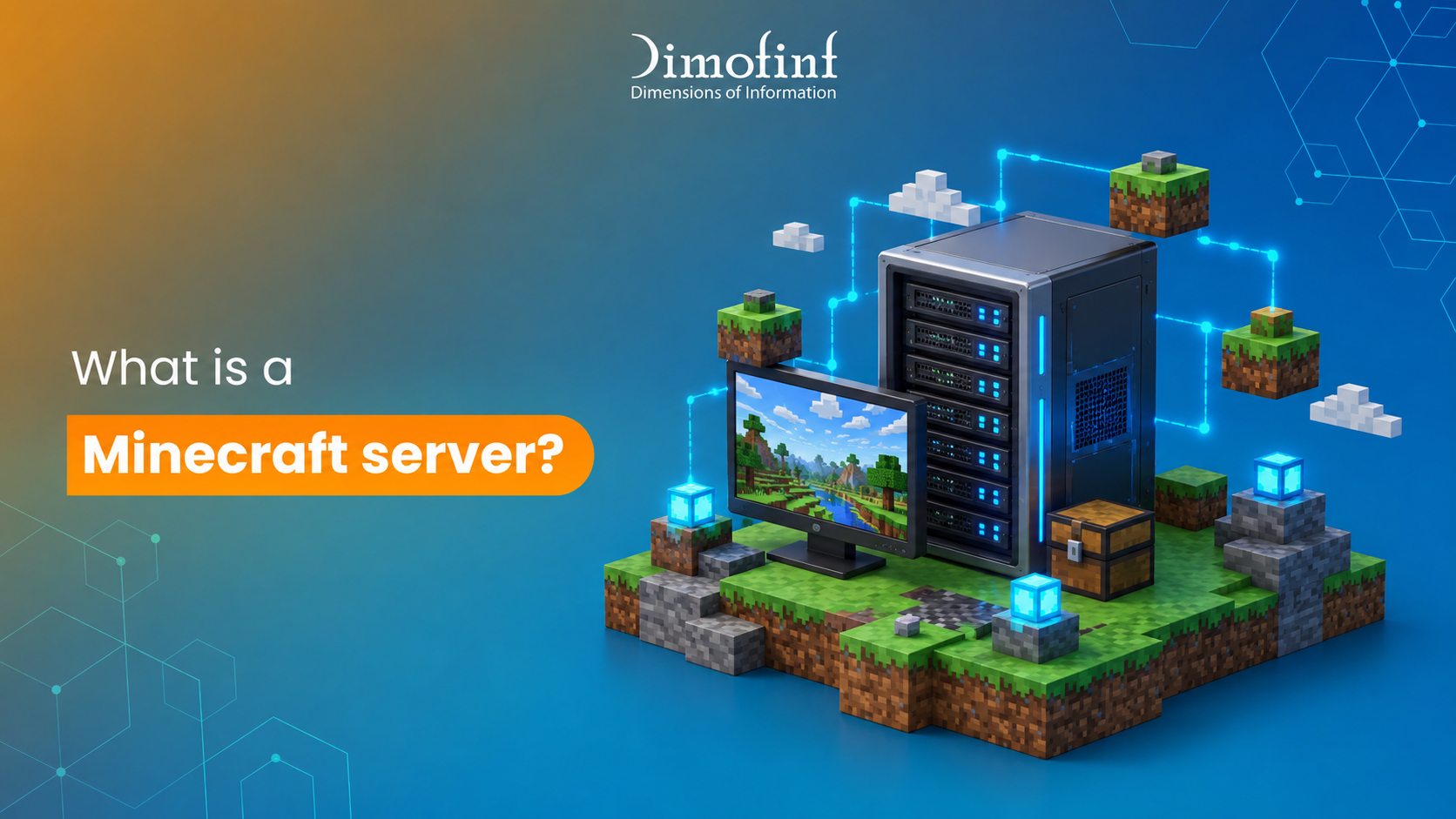
Whether you want to play with friends, build a community, or create a customized multiplayer experience, understanding how a server minecraft works is the first step. From choosing the right server type and software to understanding hosting requirements, performance, and costs, there are several factors to consider. This guide explains everything you need to know about Minecraft servers, including how they work, the different gameplay modes available, system requirements, free hosting options, and how to choose the right hosting plan for your needs and player base.
What is a Minecraft server?
It is a player- or business-owned game system that hosts a shared virtual world where multiple players can connect and play together. It allows players to share the same world, interact with each other, and enjoy multiplayer experiences beyond a standard single-player game.
How does a Minecraft server work?
it manages the game world and coordinates communication between players. Here’s how it works:
- The server acts as the brain: It runs the persistent world, enforces game rules, tracks player positions, manages mobs, and processes changes such as placing or breaking blocks.
- The client handles your game: Your Minecraft client renders graphics, plays sounds, and sends your actions—such as moving or mining—to the server.
- The connection uses an IP address and port: When you enter a server’s address in the multiplayer menu, your client sends a connection request to that specific server.
- The server and client exchange data: The server sends updates about other players, the environment, and weather, while your client sends your actions back to the server.
- The world updates in ticks: Minecraft typically runs at 20 ticks per second, allowing the server to update the game world and its logic 20 times every second.
- Servers can run in different ways: You can self-host a server on your own computer using your hardware and internet connection, or use a hosting provider that runs the server on remote machines and keeps it online 24/7.
Why do players use Minecraft servers?
Players use a server minecraft to play together, customize their gameplay, and become part of persistent online communities.
Playing with Friends
- Shared worlds: Servers allow multiple players to join the same world, build, explore, and survive together.
- 24/7 availability: Dedicated servers can keep the world online even when the host is offline, unlike local single-player worlds.
- Cross-platform access: Players can connect from different devices and platforms, depending on the server’s compatibility.
Customizing the Game
- Mods and plugins: Server owners can add custom rules, mini-games, new items, and unique economies that are not available in the base game.
- Flexible performance: Hosting allows server owners to adjust resources such as player capacity, RAM, and CPU power based on the size of their community.
Building Communities
- Public networks: Large public servers can support thousands of concurrent players and bring together large communities.
- Specialized game modes: Players can choose experiences that match their interests, such as Survival, Skyblock, or competitive PvP.
What is the difference between single-player and multiplayer Minecraft?
The main difference is that single-player Minecraft is played solo in a private world you control, while multiplayer allows you to play with others in a shared world or server.
Single-Player Mode |
Multiplayer Mode |
| Total control: You can pause the game, change the world difficulty, and use commands without external restrictions. |
Collaboration and community: You can team up with friends, chat, trade, and work together on large projects. |
| Privacy and flexibility: You can explore and build at your own pace without worrying about interference or griefing. |
No pausing: The game world continues running even when you step away from the keyboard. |
| Performance: Your device handles the game processing and world updates. |
Server-hosted: An external server or another player’s host connection manages the world data. This can reduce the processing load on your device but requires a stable network connection. |
What are the different types of Minecraft servers
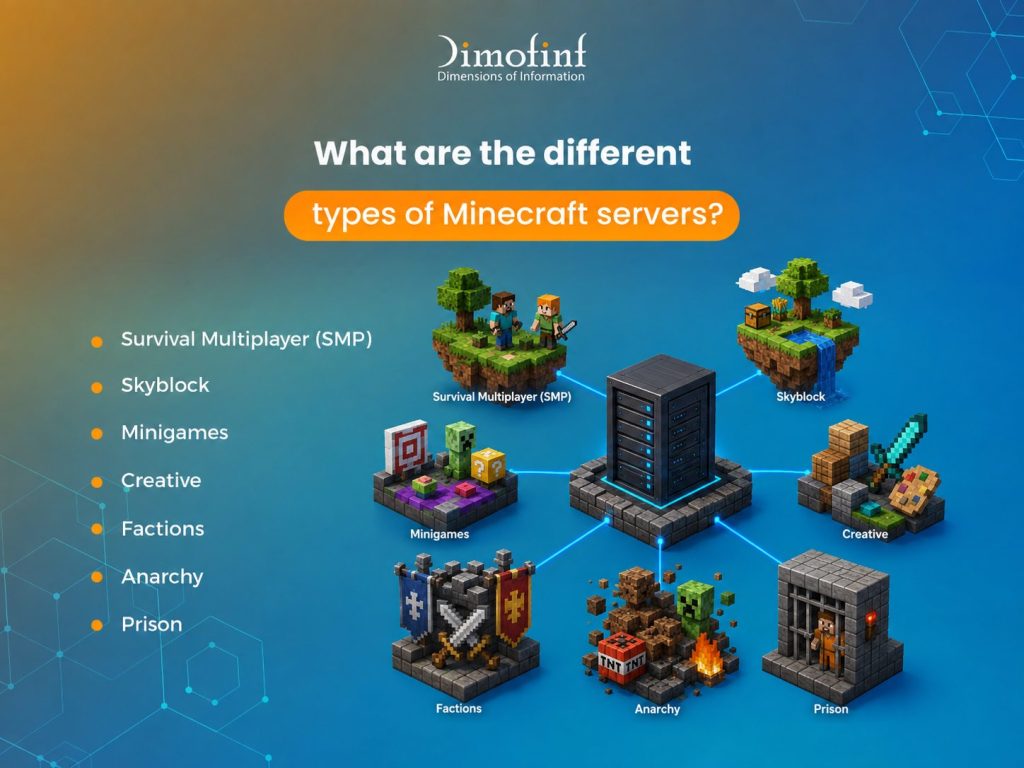
A server minecraft can offer a variety of gameplay experiences, each designed for different playstyles.
- Survival Multiplayer (SMP):
A shared survival world where players gather resources, build, and form communities. - Skyblock:
Players start on a small floating island with limited resources and expand it through strategic crafting and farming. - Minigames:
Fast-paced competitive games such as BedWars, SkyWars, and Spleef. - Creative:
Servers that provide unlimited resources and flight, allowing players to focus entirely on building. - Factions:
Team-based servers where groups claim land, build bases, and raid rival factions. - Anarchy:
Lawless servers with little or no moderation, where griefing and cheating may be allowed. - Prison:
Progression-based servers where players mine resources, earn in-game currency, and rank up toward freedom.
Server Software Types (Backend Engines)
The server software determines how a Minecraft server operates and what features it can support. Choosing the right software is essential when setting up a server minecraft.
- Vanilla:
The official, unmodified server software provided by Mojang. - Paper / Spigot / CraftBukkit:
- Optimized server software that supports plugins, such as economy systems and custom commands. Players can typically join without installing additional files.
- Forge / Fabric / NeoForge: Modded server software that supports deeper mods, including custom items, blocks, and mobs. Players generally need to install the corresponding mods on their computers to connect.
Can I create a Minecraft server for free?
Yes, you can create a server minecraft for free by using a free hosting provider or hosting the server on your own computer.
Several platforms offer free hosting with web-based control panels. However, free plans may come with limitations such as limited RAM, server queues, or reduced uptime when no players are online.
- Aternos: A popular free hosting service that allows you to start your server whenever you want to play.
- Minehut: Offers free, hosting for Java and Bedrock editions, along with a dashboard for managing plugins.
- MineStrator: Provides free options without requiring a credit card to get started.
What are the system requirements for hosting a Minecraft server?
Hosting a server minecraft requires a computer with strong single-core processor performance, 4 GB to 8 GB of RAM, and a stable internet connection.
Hardware Specifications
- CPU (Processor): Single-core performance is important because Minecraft relies heavily on one core for tasks such as world ticks, redstone, and chunk loading. AMD Ryzen processors, including the Ryzen 5 and 7 series, can provide strong performance.
- RAM (Memory):
- 1–5 players (Vanilla): 2 GB–4 GB
- 5–20 players or light plugins: 4 GB–8 GB
- Modded or large public servers (20+ players): 16 GB or more
- Storage:
An SSD or NVMe drive is recommended over an HDD to improve chunk loading and handle world saves and backups more efficiently. Depending on your mods and backups, you may need around 10 GB–40 GB of free storage.
Software and Network Requirements
- Operating System: Windows, Linux, such as Ubuntu Server, or macOS.
- Java:
Java Edition servers require a compatible Java Runtime Environment (JRE) that matches the server version, such as Java 21. - Internet Connection:
A stable wired connection with at least 10–20 Mbps upload speed for small groups and 50–100+ Mbps for larger groups. - Network Setup:
If you want players outside your local network to connect, you need to configure port forwarding, typically using port 25565.
What is Minecraft server hosting?
minecraft server hosting is a dedicated service that runs a multiplayer Minecraft world on a remote server, allowing players to connect and play together at any time. For anyone who wants a reliable server minecraft, hosting providers can offer the infrastructure needed to keep the world online without relying on a personal computer.
How do I choose the best Minecraft server hosting plan?
To choose the best server minecraft hosting plan, match your expected player count, game version, and mod requirements with the appropriate RAM and hardware performance.
Determine Your RAM Needs
- 1–3 GB RAM:
Best for small Vanilla servers with up to 10 players, particularly on older versions or light setups. Avoid 1 GB plans for modern versions. - 4–8 GB RAM:
Ideal for mid-range servers, servers running heavier plugins, or standard modpacks with active players. - 12+ GB RAM:
Recommended for large public communities, heavy modpacks, or large and complex worlds.
Key Features to Look For
- Hardware:
High-clock-speed CPUs and NVMe SSD storage help ensure faster chunk loading and stable TPS (ticks per second). - Server Location:
Choose a location close to your player base to reduce ping and latency. - Mod and Plugin Support:
Make sure the provider supports mod loaders such as Forge and Fabric, as well as server software such as Paper. - Security and Backups:
Built-in DDoS protection and automated backups are essential for protecting your Minecraft world and preventing data loss.
In the end choosing the right minecraft server setup depends on how you plan to play, how many players you expect, and the level of customization you need. A small private world may only require basic resources, while a large community with mods, plugins, and multiple gameplay modes will need more powerful hardware and reliable hosting.
Understanding the server software, hardware requirements, hosting options, and available gameplay modes can help you make a more informed decision and create a smoother multiplayer experience.
What our customers say
Share this article

How to Check SEO Ranking: Track Your Google Keyword Positions

Generative Engine Optimization Tools: Best GEO Tools for AI Search

What Is Affiliate Marketing and How Does It Work?

Best AI Website Builders in 2026 | Top Tools Compared
How to Check SEO Ranking: Track Your Google Keyword Positions
What Is Internet Hosting? A Simple Beginner’s Guide
Best Hosting for Ecommerce in Saudi Arabia | Fast & Secure Solutions
What Are the Types of Operating System? Full List & Examples