
What Are the Types of Operating System? Full List & Examples
Think of your computer or smartphone as a powerful car. It has an engine, wheels, and a frame, but without a driver, it isn’t going anywhere. This is simply how the operating system works through our devices. Whether you are using a laptop for work or a server to run a website, the system you choose changes everything. Let’s break down the definition & different types of operating systems so you can find the perfect one for your needs.
What is an operating system?
An operating system is the piece of software that manages the hardware, runs applications, and acts as an interface between you and your computer, usually called the OS.
In most production environments, the OS acts as a mediator that takes your commands and translates them into a language the machine understands. Without it, our laptops are just very expensive paperweights made of glass and metal.

The operating system handles the boring but vital stuff like:
- Keeping your files organized so they don’t get lost in the drive.
- Making sure your printer actually prints when you click the button.
- Blocking basic security threats before they can reach your personal data.
- Managing how much battery life your screen is sucking up.
What are the main types of operating systems?
In computer science, operating systems are categorized by how they manage the processor, memory, and task scheduling. Here are the fundamental types of operating system based on their operational logic:
Different types of operating systems serve different purposes — but when it comes to business infrastructure, server-based operating systems like Windows Server are essential for managing networks, users, and data securely.
Choosing the right setup can boost performance and protect your operations. If you're unsure which solution fits your needs, it's worth exploring professional server configuration options.1. Batch Operating System
This is the earliest one between all the types of operating systems. In a batch system, the user does not interact directly with the computer. Instead, the user prepares a job (consisting of the program, data, and control instructions) and submits it to a computer operator.
- Mechanism: The operator sorts jobs with similar requirements into batches to speed up processing.
- Advantage: It is extremely efficient for processing large amounts of data (like payroll or bank statements) that do not require human intervention, as the overhead of switching between different types of tasks is minimized.
- Disadvantage: Lack of interaction and potential for high turnaround time (the time between job submission and completion).
2. Multi-programming Operating System
Multi-programming increases CPU utilization by always having something for the CPU to execute.
- Mechanism: Multiple jobs are kept in the main memory at once. If the current job needs to wait for an I/O operation (like reading from a disk), the OS simply switches the CPU to another job.
- Advantage: The CPU is rarely idle. By keeping several jobs in memory, the system ensures that the processor is almost always performing a task, which maximizes the hardware investment.
- Disadvantage: The OS must implement sophisticated memory management techniques (like partitioning or paging) to ensure that multiple jobs do not interfere with each other’s data or code.
3. Time-Sharing (Multi-tasking) Operating System
Time-sharing is a logical extension of multi-programming. It allows multiple users to share the computer resources simultaneously.
- Mechanism: The CPU switches between jobs so rapidly that each user receives the impression that the entire system is dedicated to them. This switch is based on a very small time slot called a Time Quantum.
- Advantage: Improved User Experience and Response Time. It provides a highly interactive environment where multiple users can work simultaneously without perceiving a delay, significantly reducing the response time compared to batch systems.
- Disadvantage: When many users share the same CPU and memory, a single runaway process or a security breach by one user can potentially slow down or compromise the data of all other users on the system.
4. Real-Time Operating System (RTOS)
An RTOS is used in environments where the time interval required to process and respond to inputs is so small that it controls the environment.
- Hard Real-Time: Guarantees that critical tasks are completed on time. A delay is considered a total system failure (e.g., flight control systems, missile guidance).
- Soft Real-Time: Tasks are prioritized, but a small delay is acceptable (e.g., digital cameras, multimedia streaming).
5. Distributed Operating System
A distributed OS manages a group of distinct, networked computers and makes them appear to be a single centralized system.
- Mechanism: It distributes the computation logic across multiple physical processors.
- Advantage: If one computer (node) in the network fails, the remaining nodes can continue the work. Additionally, you can easily increase the system’s power by adding more hardware to the network.
- Disadvantage: The system’s performance is heavily dependent on the speed and reliability of the network. If the communication link fails, the “single system” illusion breaks down.
6. Network Operating System (NOS)
A NOS runs on a server and provides the capability to manage data, users, groups, security, and applications over a local area network (LAN).
- Mechanism: It provides a shared environment for files and printer access. Unlike a Distributed OS, the users are aware of the existence of multiple computers and must log in to the specific server to access resources.
- Advantage: Centralized Resource Management. It allows for a single point of administration for files, printing, and security. This makes it easy to back up data, update software, and manage user permissions for an entire organization.
- Disadvantage: Single Point of Failure. Because the resources are centralized, if the primary server running the NOS crashes, all connected users lose access to their files and shared services until the server is restored.
Why are operating systems important?
The operating systems are important because they act as the intermediary between user, hardware and resource manager. Without an operating system, every software developer would have to write their own code to talk directly to the hardware (the hard drive, the keyboard, the monitor, etc..).
Here are the primary reasons of why operating systems are important:
- Hardware Abstraction: The OS provides a consistent way for applications to interact with hardware.
- Resource Allocation: The OS decides which program gets the CPU, how much memory it can use, and when it can access the disk. This prevents one program from “hogging” all the computer’s power and crashing the system.
- User Interface (UI): The OS provides the visual or text-based environment that allows humans to interact with the machine easily.
- Security and Isolation: The OS creates walls between different users and different programs to ensure that a virus in one application cannot access the private data of another application or the system’s core files.
- File Management: It organizes how data is stored on physical disks by creating the concept of “files” and “folders,” managing the complex mapping of where those bits actually live on the hardware.
Which operating system is best for programming?
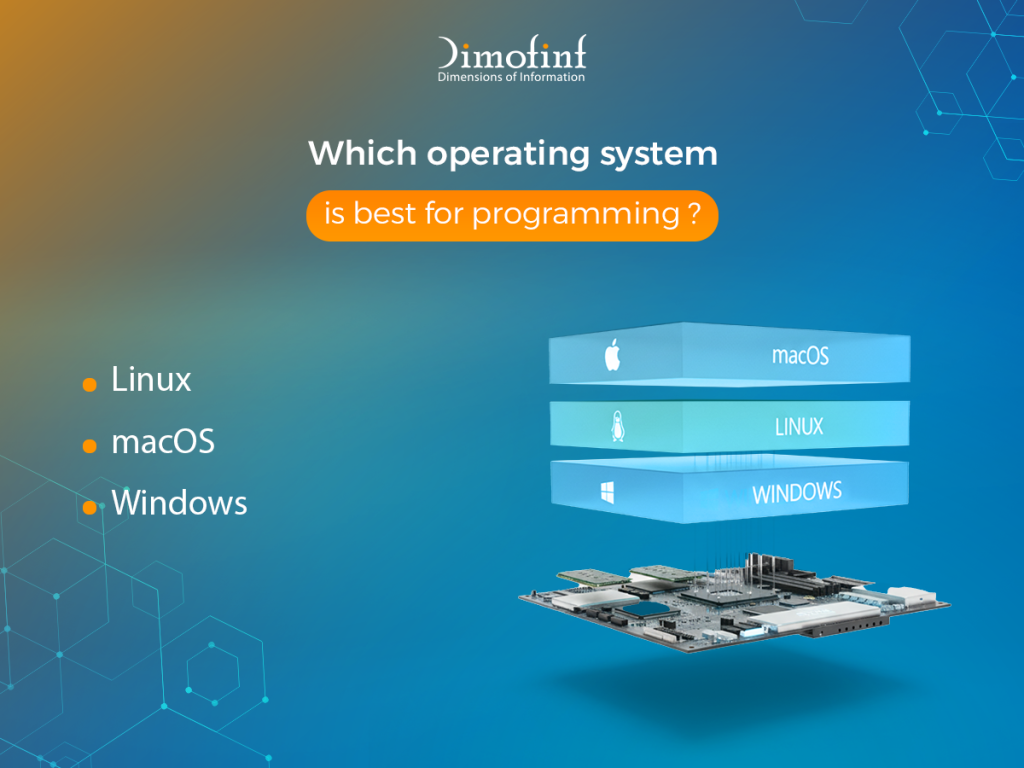
The best operating system depends on your development goals. Here is a quick comparison between the most famous types of operating systems to determine which is the best:
| Feature | Linux | macOS | Windows |
| Best for | Backend development, DevOps, Cyber Security, and Cloud Computing. | iOS/Mac development, Web Development, and Mobile (React Native/Flutter). | Game development (C++/C#), Enterprise software (.NET), and Data Science. |
| Advantage | It Offers superior terminal tools, package managers (apt, pacman), and is open-source, allowing for deep customization. | macOS is built on Unix, but with a polished GUI. Critically, it is the only OS that allows you to legally build apps for iPhone. | Windows hosting dominates the gaming industry and corporate IT. |
| Verdict | Essential for those who want total control and deep understanding of system internals. | Preferred by many web developers and mobile developers for its hardware quality and “just works” Unix environment. | The best choice for game devs using Unity/Unreal Engine and enterprise developers using the Microsoft stack. |
What are the core components of an operating system?
An Operating System relies on several interconnected components:
- The Kernel: It is the heart of the operating system and the first program loaded on startup and remains in the main memory to manage all hardware and software communication.
- Process Management: A Process is a program in execution. The OS must manage multiple processes simultaneously, especially in multi-tasking environments.
- Memory Management: The OS manages the primary memory (RAM) to ensure that each process has enough space to run without interfering with others.
- File System Management: Data is stored on non-volatile storage (HDDs, SSDs). The OS provides a logical view of this data through a File System.
- I/O Device Management: The OS acts as an intermediary between the hardware devices (keyboard, mouse, printer, monitor) and the software.
- The Shell (User Interface): The Shell is the outermost layer of the OS that allows users to interact with the Kernel.
- Security and Protection: Modern operating systems must protect the system from malicious software and unauthorized users.
What is the most commonly used operating system?
For mobile phones, android is the most used OS in the world, holding over 70% of the mobile market share globally.
Microsoft Windows is the dominant OS for personal and business computers, followed by macOS.
Linux hosting is the most common OS for web servers and runs 100% of the world’s top 500 supercomputers.
Conclusion
After viewing different types of operating systems and how they work, we an say that the operating system is the unsung hero of the computing world. From the kernel managing the hardware to the shell providing a user interface, it ensures that complex electronic components work together to provide a seamless experience. Whether you are scrolling on a phone, typing a report, or searching the web, an OS is working behind the scenes to make it possible.
FAQs
What is the difference between OS types?
What are the 4 types of operating systems?
What our customers say
Share this article
Best Programming Language for Web Development in 2026 (Top Picks)

How to Create a Website Using Free Web Hosting Step by Step
shared hosting vs vps hosting: Which one is better for your business?
What Is a Ransomware Attack? Definition, Examples & Prevention
Best Programming Language for Web Development in 2026 (Top Picks)
What Is Cloud Web Hosting? A Beginner’s Guide to Cloud Hosting
How to Create a Website Using Free Web Hosting Step by Step
shared hosting vs vps hosting: Which one is better for your business?