Please Wait...
You can login to the backup panel through your cPanel:
1- Login to your cPanel.
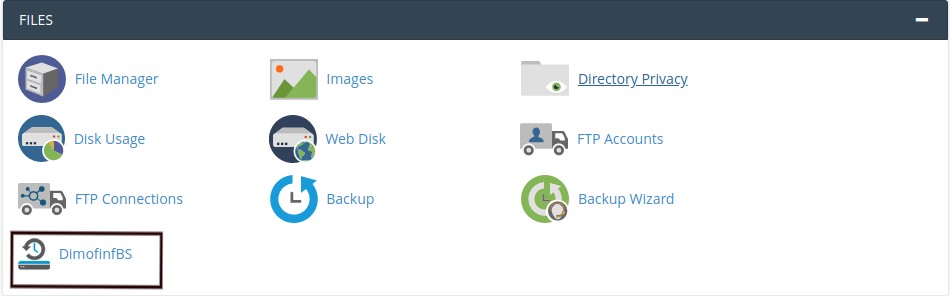
2- Choose (DimofinfBS) from (Files) block.
3- The browser will automatically transfer you to the backup panel.
4- Enter your username and password.
5- Press (Login).
You can login to the backup panel through your cPanel:
1- Login to your cPanel.
2- Choose (DimofinfBS) from (Files) block.
3- The browser will automatically transfer you to the backup panel.
4- Enter your username and password.
5- Press (Login).
DimofinfBS is totally provided for free for all shared hosting customers in Dimofinf; beside...
To restore the database: Please open a ticket directed to Hosting Support department with...
The service is provided for all shared hosting customers in Dimofinf for free.
No, because DimofinfBS system works on a server-level not for the personal accounts.
All files of your website are copied according to the following schedule: On Tuesday and...
sales@dimofinf.sa
+966-92-00-31736


Dimensions Of Information Ltd. All rights reserved © 2026