
What Is Cloud Web Hosting? A Beginner’s Guide to Cloud Hosting

Think of your current website as a store in a single building. If the power goes out or the street gets too crowded, your shop shuts down, but now, cloud web hosting has changed that. Instead of relying on one physical server, your website lives on a giant network of connected digital servers.
If one building has an issue, another instantly takes over. Today, we’ll talk about what is cloud web hosting and how it is a smarter, more flexible way to keep your site online, ensuring it stays fast and reachable no matter how many visitors show up at once.
What is cloud web hosting?
Cloud web hosting is a hosting service where a website runs on a network of virtual servers instead of a single physical server. This infrastructure distributes resources across multiple servers, improving performance, reliability, and scalability.

To understand what is cloud web hosting and how it works, you should first think about how we used to do things. In the past, you would pay for space on one specific machine sitting in a data center. If that machine broke or got too much traffic, your site simply disappeared. Cloud web hosting moves away from that single point of failure.
When someone types in your URL, the network figures out which server is best equipped to deliver your content at that exact second. If one server is busy or goes offline for maintenance, another one in the cluster picks up the slack immediately. You aren’t tied down to a piece of hardware. It is a virtualized environment where resources like memory and processing power are pulled from the pool as you need them.
How does cloud hosting work?
To understand what is cloud web hosting deeply, we need to know how it works. Cloud web hosting works by distributing website data across multiple virtual servers that are connected within a cloud infrastructure. If one server fails, another server automatically takes over to keep the website running.
Key components of cloud hosting
- The Virtual Machine (VM): To your website’s code, this looks and acts exactly like a real computer with its own operating system and storage. VM pulls its CPU power from Server A, its RAM from Server B, and its storage from a massive shared disk array.
- Load Balancer: This acts like a traffic cop. If one part of the network is busy, the load balancer routes your visitor’s request to a server that has plenty of breathing room. This ensures that no single machine ever gets overwhelmed.
- Redundancy in Action: Your website’s files aren’t just in one place; they are mirrored across multiple storage nodes. If a technician pulls a plug on a server in a data center in London, the hypervisor immediately realizes the connection is gone and shifts your Virtual Machine to a server in New York without your visitors ever seeing an Error or a slow-loading page.
What are the benefits of cloud hosting?
When we talk about what is cloud web hosting, we’re really talking about reliability, high scalability and better performance. You aren’t stuck with the limits of one CPU or one hard drive. Here are the main benefits of cloud hosting:
- No single point of failure: Since your site lives on multiple virtual instances, a hardware crash on one machine doesn’t take you offline.
- Cost-Efficiency: Instead of paying a high flat fee for a server that sits idle 90% of the time, you only pay for the resources your site actually consumes. This lowers the barrier to entry for startups while allowing large enterprises to optimize their IT budgets.
- Resources on demand: If you have a huge sale and your traffic spikes, the cloud scales up. We call this elasticity because the hosting stretches to fit your needs.
- Geographic reach: Often, these server clusters are spread out. This helps you deliver your content faster to people no matter where they are.
- Unmatched scalability and flexibility: You can increase your server resources with a few clicks or even set it to happen automatically based on traffic levels without paying additional cost.
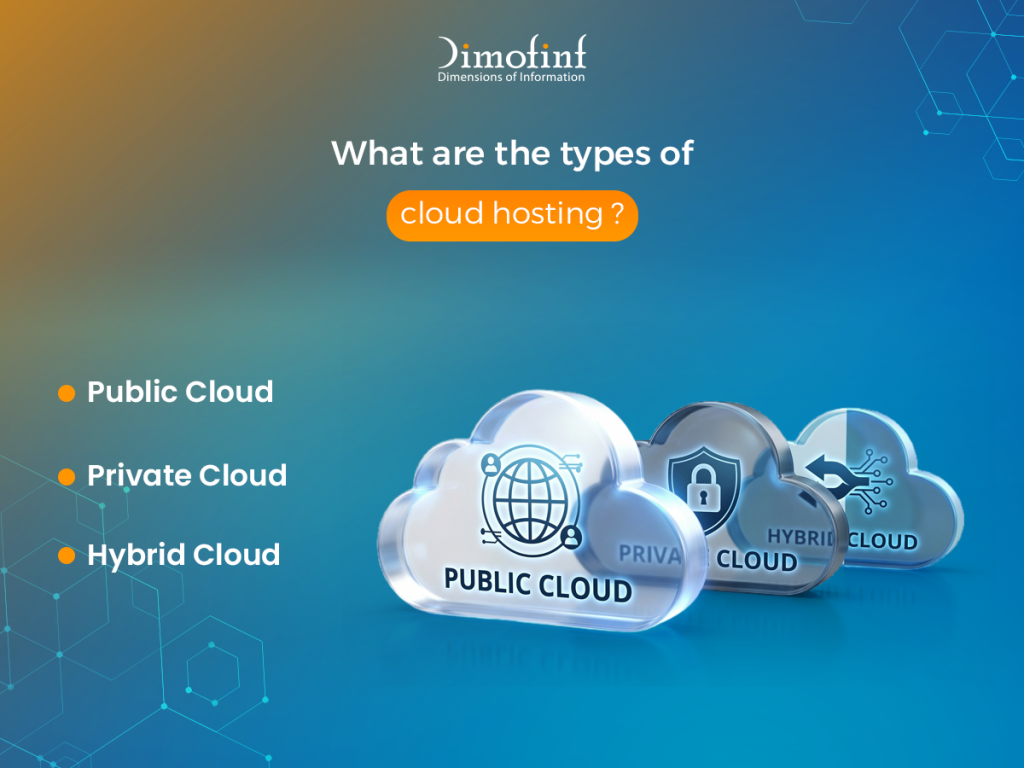
What are the types of cloud hosting?
When we talk about what is cloud web hosting, we aren’t talking about a one-size-fits-all solution. Depending on how the infrastructure is deployed and who manages it, it generally falls into 4 categories:
1.Public Cloud
This is the most common form of cloud web hosting. Resources (like servers and storage) are owned and operated by a third-party provider (e.g., AWS, Google Cloud, or Microsoft Azure) and delivered over the internet. You share the underlying hardware with other tenants, but your data and applications are logically isolated. It is highly cost-effective and scalable.
2.Private Cloud
A private cloud web hosting is dedicated exclusively to one organization. It can be physically located at the company’s on-site data center or hosted by a third-party provider. It offers the highest level of security and control, making it the preferred choice for government agencies or financial institutions with strict regulatory requirements.
3. Hybrid Cloud
As the name suggests, this combines public and private clouds. Data and applications can move between them, giving businesses greater flexibility. For example, a company might use a private cloud for sensitive customer data but leverage the public cloud to handle a sudden surge in website traffic.
4.Managed Cloud Hosting
While technically a service level rather than an infrastructure type, many businesses opt for Managed Cloud. In this setup, the provider handles the technical heavy lifting—OS updates, security patches, and performance monitoring—allowing the business to focus solely on their website or application.
Difference between cloud hosting and web hosting
While web hosting is a broad umbrella term, it usually refers to traditional hosting methods (Shared, VPS, or Dedicated) where your site is hosted on a single physical machine. Cloud web hosting is a more modern, decentralized approach. Here are the key differences between cloud hosting and web hosting:
| Feature | Traditional web hosting | Cloud hosting |
| Physical Location | Single server / machine | Cluster of multiple servers |
| Scalability | Limited by the physical hardware. To upgrade, you often need a manual migration or a temporary outage. | Virtually limitless. You can scale resources up or down instantly via a software dashboard without any downtime. |
| Reliability | If the server hardware fails (e.g., a power supply burns out), your site goes down until the hardware is fixed. | Built-in redundancy means if one server fails, another takes over instantly. This is why cloud web hosting offers much higher uptime guarantees. |
| Pricing | Usually a fixed monthly or annual fee for a set amount of resources, regardless of whether you use them all. | Typically follows a utility or pay-as-you-go model. You are billed based on the exact amount of CPU, RAM, and storage consumed during the billing cycle. |
| Complexity | Simple (Plug-and-play) | Moderate to High |
Is cloud hosting suitable for high-traffic websites?
Yes, in fact, it’s often the only viable choice for high-traffic websites.
When a website grows from a few hundred visitors a day to thousands per hour, traditional hosting starts to crack under the pressure. High-traffic sites face two main enemies: sudden, massive traffic spikes and slow loading times due to server distance. Cloud web hosting is specifically engineered to defeat both.
If your business gets featured on a major news outlet or an influencer shares your product, your traffic might jump 1000% in minutes. A cloud setup uses Auto-scaling to detect the surge and instantly spin up more virtual power to meet the demand. Once the rush is over, it scales back down so you aren’t paying for extra power you no longer need.
Why is cloud web hosting important for websites?
Cloud web hosting has redefined the standard for digital infrastructure. Unlike traditional hosting, which relies on a single physical server, cloud hosting distributes your data across a cluster of interconnected servers which make it important for several reasons:
- Redundancy and Uptime: If one server in the cluster fails, another immediately takes its place, ensuring your website remains online without interruption.
- Scalability on Demand: Cloud hosting allows you to adjust resources (like RAM or CPU) instantly to handle traffic spikes, making it essential for marketing campaigns and seasonal sales.
- Enhanced Speed: By utilizing distributed resources, cloud hosting can serve content more efficiently, leading to faster load times and a better user experience, which directly impacts your SEO rankings.
Who should use cloud web hosting?
Cloud hosting is a versatile solution and suitable for a wide range of digital projects. It is particularly beneficial for:
- E-commerce Platforms: Online stores that experience fluctuating traffic and require 100% uptime to avoid losing revenue.
- SaaS Providers: Software companies that need reliable, high-performance environments to deliver their applications to users globally.
- Growing Enterprises: Businesses that anticipate rapid growth and need a hosting solution that can scale alongside them without complex migrations.
- Content-Heavy Sites: High-traffic blogs, news portals, and media sites that require fast data delivery to keep readers engaged.
When should you upgrade to cloud hosting?
Timing is everything in the digital world. You should consider migrating to a cloud environment if you notice the following:
- Frequent Downtime: If your current shared or VPS hosting struggles to stay online during peak hours.
- Slow Load Times: If your website performance is lagging despite optimization efforts, indicating that you have outgrown your current server resources.
- Security Concerns: If you require more advanced isolated environments and robust backup systems than standard hosting can provide.
- Anticipated Growth: If you are planning a major product launch or marketing push that will significantly increase your visitor count.
At the end of discussing what is cloud web hosting, we know the cloud can sound a bit like tech-magic, but at Dimofinf, we believe in making high-performance hosting simple. The Dimofinf team is ready to analyze your traffic patterns and help you choose a plan that grows with you. No jargon, just a clear path to a faster, more reliable website.
Reach out to us today and let’s get your site cloud-ready!
FAQs
Is cloud hosting expensive?
Can small businesses use cloud web hosting?
Share this article

How to Create a Website Using Free Web Hosting Step by Step
shared hosting vs vps hosting: Which one is better for your business?

What Is a Ransomware Attack? Definition, Examples & Prevention

Best types of website design for your business in 2026
How to Create a Website Using Free Web Hosting Step by Step
shared hosting vs vps hosting: Which one is better for your business?

Everything You MUST know about DoS and DDoS attack

How to find your best cheap website hosting in 2026