
Everything You MUST know about DoS and DDoS attack
Imagine waking up one day, going to your office as usual and suddenly, you find your website completely unresponsive. This isn’t just a technical issue; it’s a direct hit to your revenue and hard-earned reputation by DoS and DDoS attack, every business owner’s nightmare; because customers are clicking away to competitors, and Google is drowning your rank if your hosting server can’t handle the heat.
So, let’s dive deeper into these attacks, how they work and their common types, to keep your business online and your rankings safe.
What is a DoS (Denial of Service) attack?
In technical terms, a DoS attack (Denial of Service) is a malicious attack that happens when a single attacker floods your server or network with more fake traffic or data requests than it can handle. By overwhelming the system’s resources, the attacker effectively clogs the pipes. The result? Your legitimate customers get hit with Timed Out errors or painfully slow loading speeds.

For a business, this is a nightmare scenario: your site is technically up, but it’s completely useless to the people who actually want to spend money with you. Unlike more complex attacks, a DoS usually comes from a single source, but its simplicity doesn’t make it any less damaging to your daily operations.
Types of DoS attacks
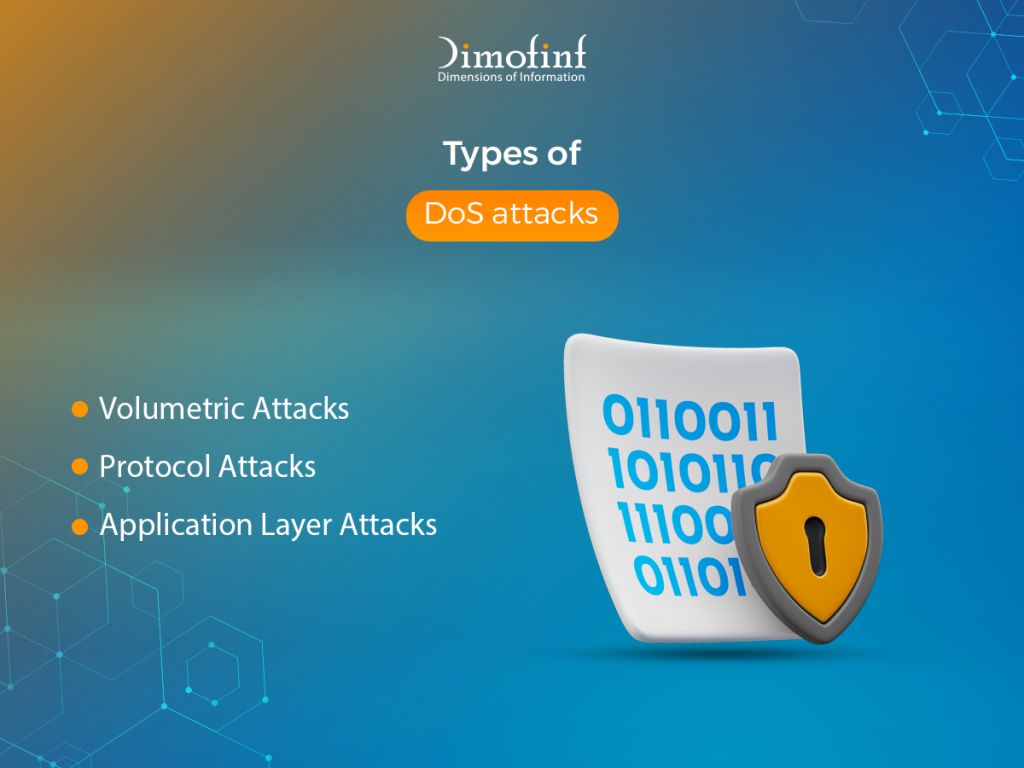
There are 3 types of DoS attacks categorized based on which part of the network stack or server resources they target:
Volumetric Attacks
These are the most common types of DoS attacks. The goal is to saturate the bandwidth of the target site to create congestion.
- How it works: The attacker sends a massive amount of traffic (measured in Bits Per Second) to a network until it can no longer process legitimate requests.
- Common Example: UDP Flood or ICMP Flood.
Protocol Attacks
These attacks target the resources of the server or intermediate communication equipment like firewalls and load balancers.
- How it works: Instead of flooding the “pipe” with data, these attacks exploit weaknesses in the way internet protocols communicate. They consume actual server resources like memory or connection state tables.
- Common Example: SYN Flood. In this attack, the attacker sends many Initial Connection requests but never completes the handshake, leaving the server’s resources tied up waiting for responses that never come.
Application Layer Attacks
These are often the most sophisticated and hardest to detect because the traffic can look like legitimate user behavior.
- How it works: The attacker targets specific functions of a web application. For example, they might repeatedly trigger a heavy database search or a complex file download. Because these requests require the server to do a lot of “work” for a single request, even a small number of them can crash the server.
What is a DDoS (Distributed Denial of Service) attack?
a DDoS (Distributed Denial of Service) attack is a malicious attempt to disrupt a server, launched from multiple geographically dispersed sources simultaneously. This distributed nature makes the attack much more powerful and significantly harder to block.
How a DDoS Attack Works:
The defining characteristic of a DDoS attack is the use of the term Botnet.
- An attacker (the botmaster) infects thousands or millions of vulnerable devices such as computers, smartphones, and IoT devices with malware.
- Once infected, these devices become “bots”. The owners of these devices are usually completely unaware that their hardware is being controlled by a third party.
- The attacker uses a central Command and Control server to send instructions to the botnet.
- On the attacker’s command, every device in the botnet sends a flood of requests to the same target at the same time.
What are the most common types of DDoS attacks?
The most common types of DDoS attacks are the ones that aim to saturate the bandwidth of the target site or server:
UDP Flood attack:
The attacker sends a large number of User Datagram Protocol packets to random ports on the target. The host searches for applications associated with these ports; when none are found, it sends back a “Destination Unreachable” packet, exhausting resources.
DNS Amplification attack:
The attacker sends small requests to public DNS servers using the victim’s spoofed IP address. The DNS servers respond with much larger packets to the victim, magnifying the attack volume by up to 50 times.
ICMP (Ping) Flood attack:
Overwhelming the target with echo request packets, forcing the system to expend resources responding to every single one.
What is the difference between DoS and DDoS attacks?
Although having the same ultimate goal, rendering a service unavailable to legitimate users, DoS and DDoS attack differ fundamentally in their execution, scale, and the difficulty of defense as follows:
| Feature | DoS attack | DDos attack |
| Origin | Single Location or Single IP | Hundreds or Thousands of IPs |
| Traffic Speed | Limited by the attacker’s bandwidth | Virtually unlimited |
| Difficulty to Detect | Easy to detect | Hard to detect |
| Difficulty to Stop | Easy, by blocking the attacker’s IP | Complex,requires traffic scrubbing |
| Cost to Attacker | Low cost | High cost |
Origin and Blocking:
DoS attack in cyber security uses a single system and a single internet connection to attack a target, while DDos attack Uses multiple systems, often thousands or millions distributed across the globe.
If you blocked that DoS single IP address, the attack is over, but blocking a single IP has zero effect because thousands of others are still sending traffic.
Methodology:
In a DoS attack, the attacker uses their own machine or a single rented server, while in a DDoS attack, the attacker acts as a “Botmaster,” commanding an army of infected IoT devices, home routers, and PCs.
Mitigation Difference
DoS attacks can often be mitigated with basic firewall rules or local configuration changes, while DDoS attacks require specialized cloud mitigation services like Cloudflare or Akamai acting as a massive sieve that absorbs the traffic across global data centers, filtering out the bad packets before they ever reach the target server.
How do DoS and DDoS attacks impact websites and servers?
The impact of DoS and DDoS attack goes far beyond a simple “Service Unavailable “error affecting websites and servers across technical, financial, and reputational dimensions as follows:
- The incoming traffic “pipe” becomes so full that legitimate data packets cannot get through, effectively disconnecting the server from the internet.
- Processing thousands of fake requests forces the server to work at 100% capacity, causing system crashes.
- Losing consumer trust if the site is frequently unreachable, which makes users perceive it as insecure or unreliable and switch to competitors.
- Drop in Google Rankings and other search engines, which penalize sites that are frequently down or slow, leading to a long-term drop in organic traffic.
- High-frequency queries can lock database tables, making it impossible for the application to read or write data.
Conclusion
DoS and DDoS attack are no longer just a nuisance; they are a sophisticated tool used for extortion, competitive sabotage, and distraction for deeper data breaches. As these attacks move from simple volumetric floods to complex, multi-vector application layer threats, relying on standard firewalls is no longer enough.
Don’t let malicious traffic take your business offline, Dimofinf’s hosting services come equipped with advanced DoS and DDoS attack protection features, ensuring your website remains fast, stable, and accessible even under the heaviest of attacks.
FAQs
What industries are most targeted by DDoS attacks?
These certain sectors face higher frequencies of DDoS attacks:
- Gaming
- E-commerce
- Financial Services and Banks
- Government & Public Sector
- SaaS and IT Services
Share this article

How to Create a Website Using Free Web Hosting Step by Step

shared hosting vs vps hosting: Which one is better for your business?

What Is a Ransomware Attack? Definition, Examples & Prevention

Best types of website design for your business in 2026
How to Create a Website Using Free Web Hosting Step by Step
shared hosting vs vps hosting: Which one is better for your business?

How to find your best cheap website hosting in 2026